


Choose Your Installer

Download DN Viewer for your platform.

Choose the DN Viewer installer that matches your computer: Mac App Store, direct Mac .dmg, Microsoft Store, or direct Windows .exe.

Need platform details first? Review the dedicated Mac DICOM viewer page or Windows DICOM viewer page, then return here to install.

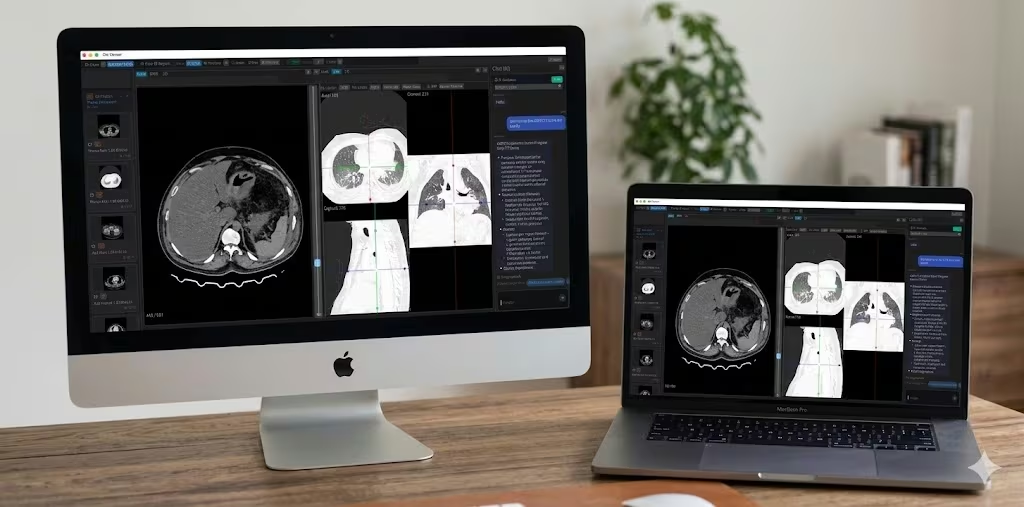
Mac installer Use the Mac App Store or direct Apple Silicon .dmg. See Mac details.
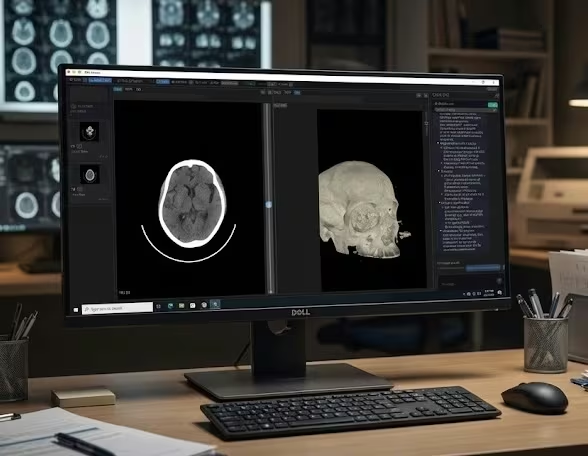
Windows installer Use Microsoft Store or the direct Windows 10/11 .exe. See Windows details.
Completely free No cost, no hidden tiers. Download and use DN Viewer for free.
Near-instant MPR Move through multiplanar views with minimal waiting.
MRI layout memory Your protocol view reopens the moment you load a study. No rearranging.
DN Viewer running on Mac DN Viewer running on Windows workstation
Free Download

Pick the DN Viewer installer you need.

Mac + Windows

DN Viewer is a native desktop app. Select your operating system below and use the store link or direct installer that fits your workflow.

Free Mac and Windows
  • Mac options: App Store or direct Apple Silicon .dmg.
  • Windows options: Microsoft Store or direct Windows .exe.
  • No account required to open local DICOM files and start reviewing studies.
  • For platform-specific features and requirements, visit the Mac page or Windows page.

By downloading and using DN Viewer you agree to the End User License Agreement.

What you get

What is included after installation.

Once installed, DN Viewer gives you a native desktop workflow for DICOM review, PACS access, MPR, 3D rendering, segmentation, and reporting.

Included

A complete desktop DICOM workflow.

The installer gives you the native DN Viewer app for your platform. Use the dedicated Mac and Windows pages for operating-system details; use this page when you are ready to download.

Connectivity & Access

  • Direct DICOM server access from the desktop app.
  • DICOMweb support for modern web-based imaging workflows.
  • Download studies from the internet with custom teleradiology support.
  • Open local DICOM files directly from USB, CD/DVD, or any folder.

Visualization & Review

  • Near-instant MPR for faster spatial review.
  • 3D render inside the same reading workflow.
  • MRI layouts reopen automatically for each study — no rearranging needed.

AI & Reporting

  • AI-powered segmentation and volume calculation tools for faster region selection.
  • AI-assisted reporting with speech-to-text, AI-enabled drafting, and validation checks — significantly cutting down report drafting time.
  • Chat and AI features without leaving the viewer.

Platform

  • Native responsiveness on both Mac and Windows.
DN Viewer DICOM server and PACS connection DICOM Server & PACS Access
DN Viewer near-instant MPR Near-Instant MPR
DN Viewer MRI layout memory MRI Layout Memory
DN Viewer chat and AI features Chat & AI Features