

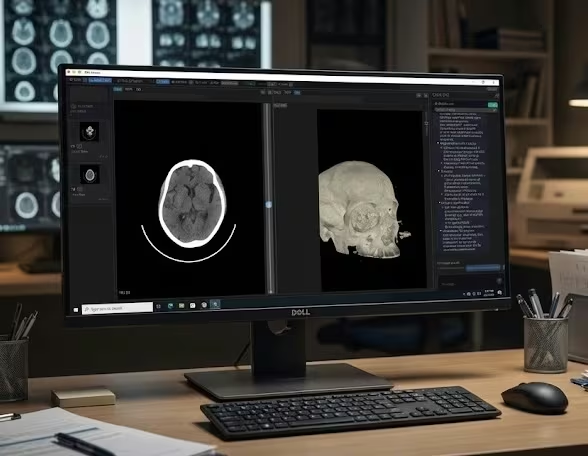
A native Windows workflow built for speed and focus.
This is not a browser-based viewer. DN Viewer is a native Windows desktop app designed for fast image review and direct access to the studies you need.
MRI advantage on Windows: save your reading layout once and it comes back automatically for each new study. No manual rearranging, no loading screens — your protocol is just there.
Platform
- Native Windows app — no browser dependency, no web-app overhead.
- Available from the Microsoft Store or as a direct Windows .exe installer.
- Works on Windows 10 and Windows 11 (64-bit).
Connectivity & Access
- Direct DICOM server access from the Windows desktop.
- DICOMweb support for modern web-based imaging workflows.
- Download studies from the internet with custom teleradiology support.
- Open local DICOM files directly from USB, CD/DVD, or any folder.
Visualization & Review
- Near-instant MPR for faster spatial review on Windows.
- 3D render inside the same Windows reading workflow.
- MRI layouts reopen automatically for each study — no rearranging needed.
AI & Reporting
- AI-powered segmentation and volume calculation tools for faster region selection.
- AI-assisted reporting with speech-to-text, AI-enabled drafting, and validation checks — significantly cutting down report drafting time.
- Chat and AI features without leaving the Windows viewer.
How DN Viewer compares on Windows
If you've been using RadiAnt, MicroDicom, or a browser-based viewer, here's how DN Viewer fits in.
- vs RadiAnt DICOM Viewer: RadiAnt is a capable Windows-only viewer. DN Viewer includes built-in DICOM server access and AI-assisted reporting, and is available on both Windows and Mac.
- vs MicroDicom: MicroDicom is a free Windows DICOM viewer focused on basic viewing. DN Viewer adds near-instant MPR, 3D rendering, AI-powered segmentation, and built-in AI-assisted reporting — in a single native desktop app.
- vs browser-based viewers: Web DICOM viewers depend on your internet connection and browser performance. DN Viewer runs natively on Windows, so MPR and 3D rendering use the GPU directly — no browser overhead, no lost tabs.


