
Free Download for Windows

DN Viewer for Windows — free native DICOM viewer.

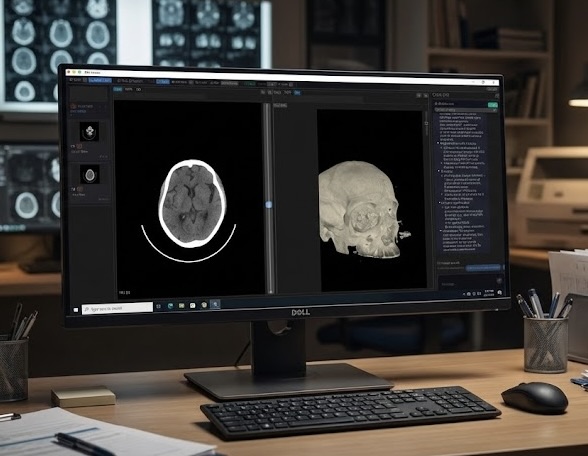
Download DN Viewer free for Windows to open studies, connect to DICOM servers, use near-instant MPR and 3D rendering, and keep reporting inside one fast native Windows desktop workspace.

Built for MRI-heavy workflows on Windows: your pane layouts come back exactly as you left them for each study, so you spend time reading, not rearranging.

Native Windows app Runs natively on Windows — no browser, no web-app overhead.
Near-instant MPR Move through multiplanar views with minimal waiting on Windows.
DICOM server access Connect to remote studies directly from the Windows desktop app.
3D render Bring volumetric review into the same Windows reading workflow.
MRI layout memory Your protocol view reopens the moment you load a study on Windows.
DN Viewer running on a Dell Windows workstation
Overview

Built for faster DICOM review on Windows.

DN Viewer for Windows focuses on native speed, direct DICOM server access, near-instant MPR, 3D rendering, and reporting tools that stay inside the app — no browser tab juggling.

Why DN Viewer for Windows

A native Windows workflow built for speed and focus.

This is not a browser-based viewer. DN Viewer is a native Windows desktop app designed for fast image review and direct access to the studies you need.

MRI advantage on Windows: save your reading layout once and it comes back automatically for each new study. No manual rearranging, no loading screens — your protocol is just there.

  • Native Windows app — no browser dependency, no web-app overhead.
  • Direct DICOM server access from the Windows desktop.
  • Near-instant MPR for faster spatial review on Windows.
  • 3D render inside the same Windows reading workflow.
  • MRI layouts reopen automatically for each study — no rearranging needed.
  • AI-assisted reporting powered by the latest models.
  • Reporting help without leaving the Windows viewer.
Free Windows Download

Download DN Viewer free for Windows.

Windows

DN Viewer runs as a native Windows app, so near-instant MPR, 3D rendering, study navigation, and AI-assisted reporting stay fast and responsive in a true Windows desktop workflow.

Free download now for Windows
  • Free native Windows DICOM viewer — no browser required.
  • Works on Windows 10 and Windows 11.
  • Connect to DICOM servers directly for fast study access on Windows.
  • Measure, compare, and report without bouncing between browser tabs.

By downloading and using DN Viewer you agree to the End User License Agreement.

Mac + Windows

Need the Mac version instead?

DN Viewer is also available free for Mac. The same fast DICOM workflow, native app experience, and AI-assisted reporting — on macOS.

  • Native macOS app — supports Apple Silicon and Intel.
  • DICOM server access, review, AI support, and reporting in one app.
  • Free download, no browser required.